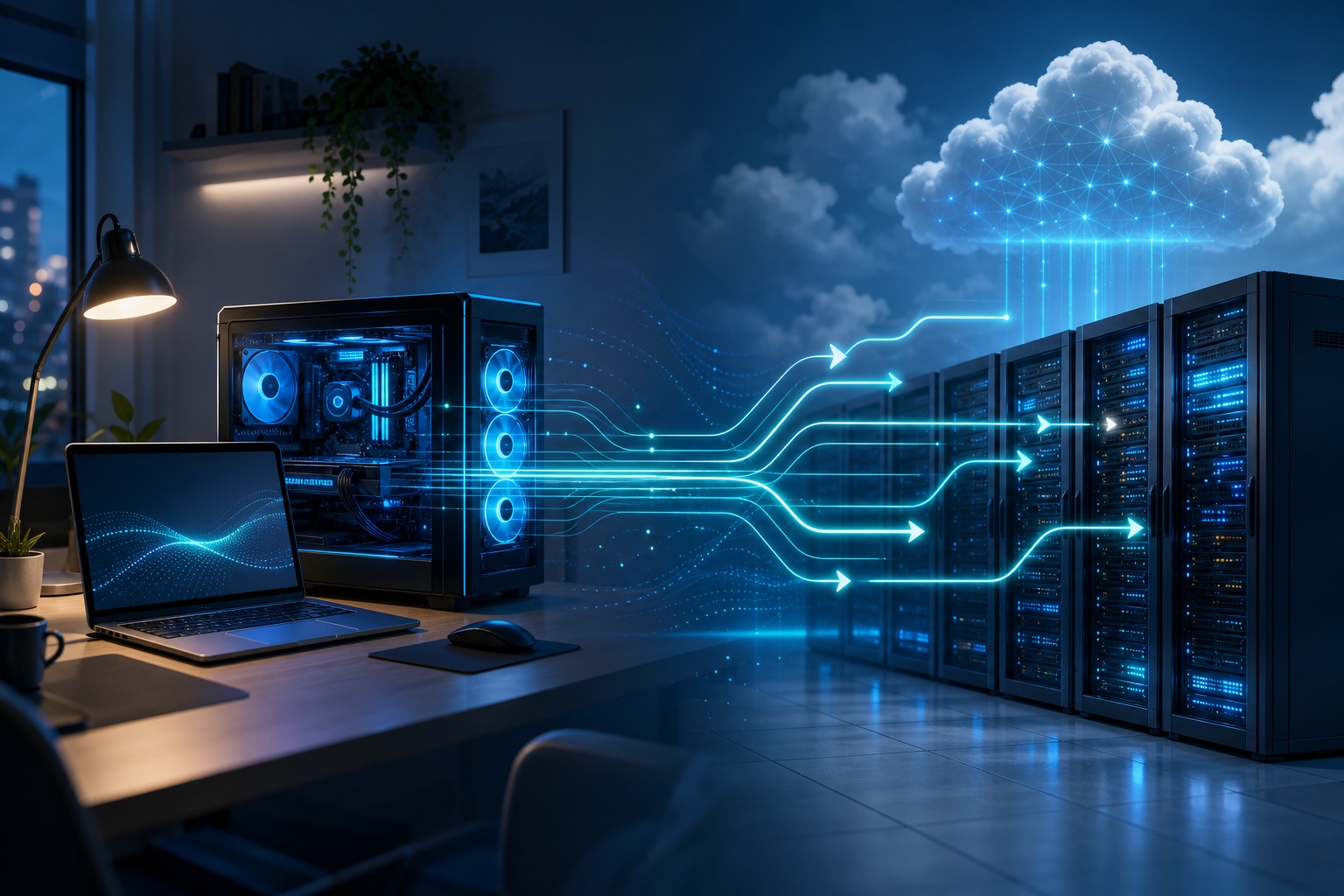
The local AI agents vs cloud choice isn't a winner-take-all pick. For most production systems, the right answer is a split. You decide it one workload at a time.
Decision tool
AI Model Comparison
Compare the trade-offs that matter before you wire a model into a product: room to think, token cost, access, and who runs it.
Last updated:
| Source |
|---|
Prices are listed API rates where available and can change. “Open” means open weights, not necessarily unrestricted commercial terms; check the linked license before shipping.
Cloud wins on raw model power and speed to start. Local wins on privacy, cost at high volume, offline use, and control.
Because one agent workflow mixes sensitive and public data, plus easy steps and hard reasoning, most serious setups end up hybrid. Cheap, private, routine work runs on hardware you own. The hard reasoning goes to a top model in the cloud.
Two ideas quietly mislead people here.
First, "cloud" is not one thing. A managed API from OpenAI or Anthropic is one option. A self-hosted open-weight model running inside your own cloud account is another. These two differ a lot on who controls the data.
Second, "local means secure" is false. Keeping data on your machine protects where it lives. It does not protect what an over-permissioned agent (one given too much access) can do with it.
Decide along four dimensions: data sensitivity, request volume, task difficulty, and connectivity. Do that, and the answer usually picks itself.
What local and cloud AI agents are
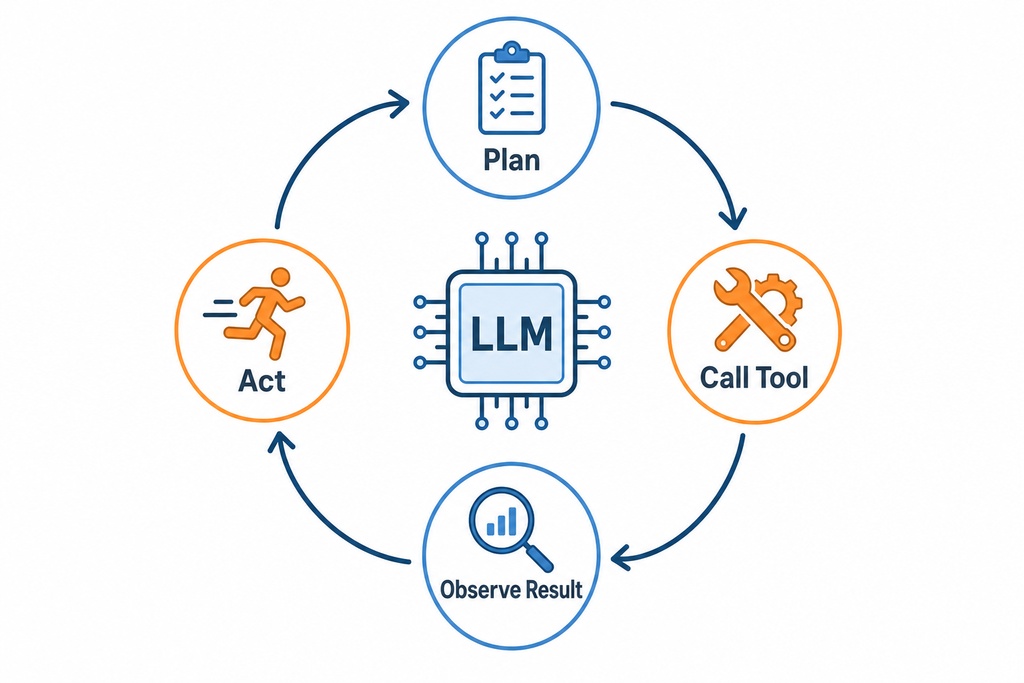
An AI agent is a Large Language Model (LLM) that does more than reply once. It plans, calls tools, and takes actions across many steps. "Local" and "cloud" just describe where that model's inference (the work of running the model to get an answer) runs. Nothing more.
Local agents run open-weight models on hardware you control: a laptop, a workstation, a home server, or an on-premises cluster. They use inference runtimes (software that runs the model) like Ollama, llama.cpp, LM Studio, vLLM, or GPT4All. The models come from open families: Llama 3.x, Qwen 2.5, Mistral, DeepSeek, Gemma, and Phi.
Cloud agents send inference to a provider. That splits into two very different things.
A managed API or agent platform runs someone else's model on someone else's infrastructure. Examples include OpenAI, Anthropic, Google Vertex AI Agent Builder, Azure OpenAI, AWS Bedrock, and Groq.
Self-hosting an open-weight model on rented GPUs inside your own virtual private cloud (a walled-off section of a cloud provider) runs your model on rented infrastructure. This second option is a real middle ground. It gives more privacy control than a SaaS API, and more scale than a home rig. Lumping both into "cloud" is where most confusion starts.
Local vs. cloud AI agents at a glance
Cloud leads on model quality, scaling, and setup. Local leads on privacy, offline use, marginal cost (the cost of each extra use), and control. Here's the head-to-head across the things that drive the choice.
| Dimension | Local AI agents | Cloud AI agents |
|---|---|---|
| Where it runs | Hardware you own or control | Provider servers (or rented GPUs in your VPC) |
| Data location | Stays inside your boundary | Sent to a third party unless self-hosted |
| Model quality | Open weights, 7B–70B typical | Frontier models (GPT-4o, Claude 3.5 Sonnet, Gemini 1.5 Pro) |
| Upfront cost | High ($1,500–$20,000+ hardware) | Near zero |
| Ongoing cost | Electricity ($0.10–$0.30/hr heavy load) | Per-token billing, scales with use |
| Latency | 0ms network; bound by your GPU | ~20–150ms round trip + provider queue |
| Offline use | Full | None: strict internet dependency |
| Scaling | Capped by physical hardware | Elastic to high concurrency |
| Maintenance | You own drivers, updates, monitoring | Provider-managed |
| Customization | Full: model, quantization, retention | Limited to provider features |
| Reliability | Your own uptime | 99.9%–99.99% SLA, subject to outages |
Local AI agents
Local AI agents keep the whole loop inside your environment: prompt, memory, embeddings, logs, and tool output. They're strong at summarization, data extraction, classification, routine coding, and structured workflows. For these jobs, a well-quantized (compressed to run on smaller hardware) 7B–34B model is genuinely good enough. What they give up is the top of the reasoning curve, and the ability to scale past the hardware in the rack.
Pros
- Data never leaves your boundary: required for HIPAA-covered records, PII (personal info), and defense IP
- No per-token fees once you buy the hardware
- Works fully offline or air-gapped (cut off from the internet)
- Full control of model, quantization, retention, and tool permissions
- No vendor deprecations (models being retired), rate limits, or surprise price changes
Cons
- Falls behind frontier models on hard reasoning, complex code, and very long contexts
- High upfront hardware cost, plus power, cooling, and staff time
- Concurrency (how many requests at once) capped by physical hardware
- You own drivers, updates, quantization, and monitoring
Verdict: Best for teams with regulated data, steady high volume, offline needs, and in-house ops skills.
Cloud AI agents
Cloud AI agents give you the strongest models and near-endless scale in minutes, with the provider handling GPUs, load balancing, and uptime. That's why they win for hard reasoning, multimodal work, huge context windows, and spiky demand.
The catch is recurring cost that grows with every token: and agent loops burn tokens fast. Your data also leaves your boundary. And you depend on a provider's pricing, uptime, and product lifecycle.
Pros
- Best reasoning, coding, multimodal, and longest context windows
- Zero hardware to buy or maintain; start in minutes
- Elastic scaling to thousands of concurrent requests
- Built-in tooling: retrieval, function calling, tracing, enterprise connectors
- Automatic access to new model releases
Cons
- Token billing escalates with agentic loops; bills can surprise
- Data leaves your boundary; compliance terms must be verified per contract
- Vendor lock-in, deprecations, and behavior shifts between versions
- Requires connectivity; subject to latency, rate limits, and outages
Verdict: Best for teams that need maximum capability or fast time to market without running infrastructure.
Hybrid AI agents
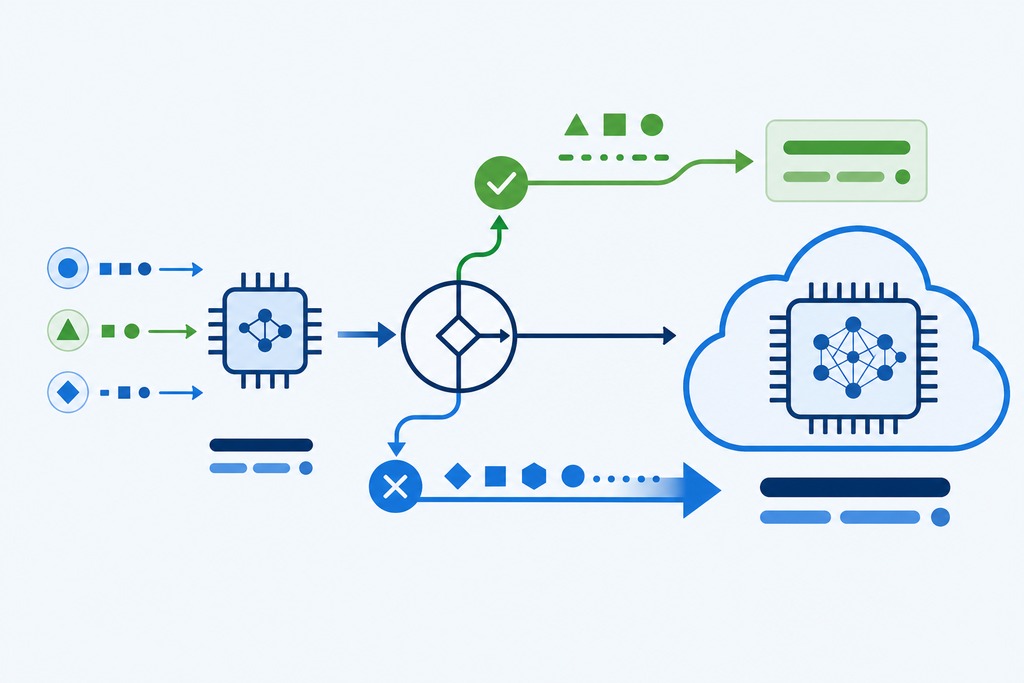
A hybrid agent runs cheap, private, or simple steps locally, and sends hard or unclear steps up to a cloud model. This is where most serious production systems land, because one workflow rarely has the same needs throughout: parsing a confidential file and reasoning across it are different jobs with different best homes.
Three patterns dominate:
- Router/cascade: a local model handles simple steps and routes hard queries to a frontier model; tools like RouteLLM automate the decision.
- Local-private, cloud-reasoning: sensitive retrieval and processing stay local; anonymized reasoning goes to the cloud.
- Self-hosted open models on rented GPUs: run open weights in your own VPC for privacy control closer to local with scale closer to cloud.
Pros
- Privacy where it matters, capability where it matters
- Cost optimization: expensive tokens only on the hard steps
- Fallback redundancy when one path is down
Cons
- More architecture to build: two runtimes plus routing logic
- Requires judgment on what counts as "sensitive" or "hard"
Verdict: Best for production systems mixing sensitive and public data, or simple and hard steps.
Privacy and data control
Local keeps prompts, memory, embeddings, logs, and tool output inside your security boundary, which is why regulated fields (PHI under HIPAA, PII, defense IP) often require it. But two corrections change how you should read that.
First, local is not automatically secure. Its physical location protects data residency (where data is stored), not the agent's permissions. An agent with broad shell or filesystem access can still delete files, expose secrets, or run malicious instructions hidden inside a document it was asked to read. Local narrows where data goes. It does nothing about what the agent is allowed to do.
Second, "cloud can't handle sensitive data" is too absolute. Enterprise tiers offer zero-data-retention (the provider doesn't keep your data), SOC 2 attestation, and residency controls. The distinction that actually matters is not where the model runs but who controls the data: which is why self-hosting an open model in your own VPC sits apart from both classic local and classic SaaS. Those enterprise terms are real, but verify them per product and per contract. Never assume them.
Cost: upfront vs. ongoing
Local means high upfront cost and near-zero marginal cost. Cloud means near-zero upfront and pay-per-token. Which one wins depends almost entirely on volume: that's the whole cost structure in one line.
| Cost item | Local | Cloud |
|---|---|---|
| Capable rig (RTX 4090, 64GB+ RAM) | $2,500–$4,000 | : |
| Mac Studio (M2 Ultra, 128GB) | $5,000+ | : |
| Single GPU | RTX 4090 24GB ~$1,800; A100 ~$10,000+ | : |
| Overall hardware range | $1,500–$20,000+ | Near zero |
| Electricity (heavy load) | $0.10–$0.30/hr | : |
| Frontier input tokens | : | GPT-4o ~$5.00/1M (some pricing ~$2.50); Claude 3.5 Sonnet ~$3.00/1M |
| Frontier output tokens | : | ~$15.00/1M (GPT-4o and Claude 3.5 Sonnet) |
| Mini models | : | GPT-4o-mini, Claude 3 Haiku under $0.50/1M |
| Per agentic execution | ~$0 marginal | ~$0.05–$0.50 |
The number that breaks cloud budgets is the agent token multiplier. An agent doesn't answer once. It plans, calls tools, inspects results, and retries, consuming 3x to 10x the tokens of a single chatbot reply. A poorly bounded loop can produce a bill nobody forecast.
Steady, high volume is what tips the math toward local: once you run the same workload thousands of times a day, owned hardware amortizes and per-token fees do not. But "local is free" is a myth: add electricity, maintenance, and staff time, and at organizational scale the ops labor alone can exceed what the API would have cost. These figures move. Treat them as of late 2025, and check live pricing before you commit.

Performance and latency
Local removes network latency (network delay) entirely but is bound by your GPU's throughput (how fast it processes); cloud adds a network round trip but runs on far faster hardware. For agents, both bottlenecks compound across steps.
| Metric | Local | Cloud |
|---|---|---|
| Network latency | 0ms | ~20–150ms round trip (0.5–5s per request) |
| Throughput | RTX 4090 ~30–50 t/s on 7–13B (up to 50–100+ t/s for 8B) | H100 clusters ~80–150+ t/s |
| Uptime | Your own maintenance | 99.9%–99.99% SLA |
Agents make both problems worse. Because an agentic task fires many rapid, back-to-back tool calls, local hardware can stutter under the load of a multi-step loop, while cloud accumulates network delay on every hop. A task that feels instant as a single chat turn can feel sluggish as a ten-step agent: on either side, for opposite reasons.
Hardware requirements for running models locally
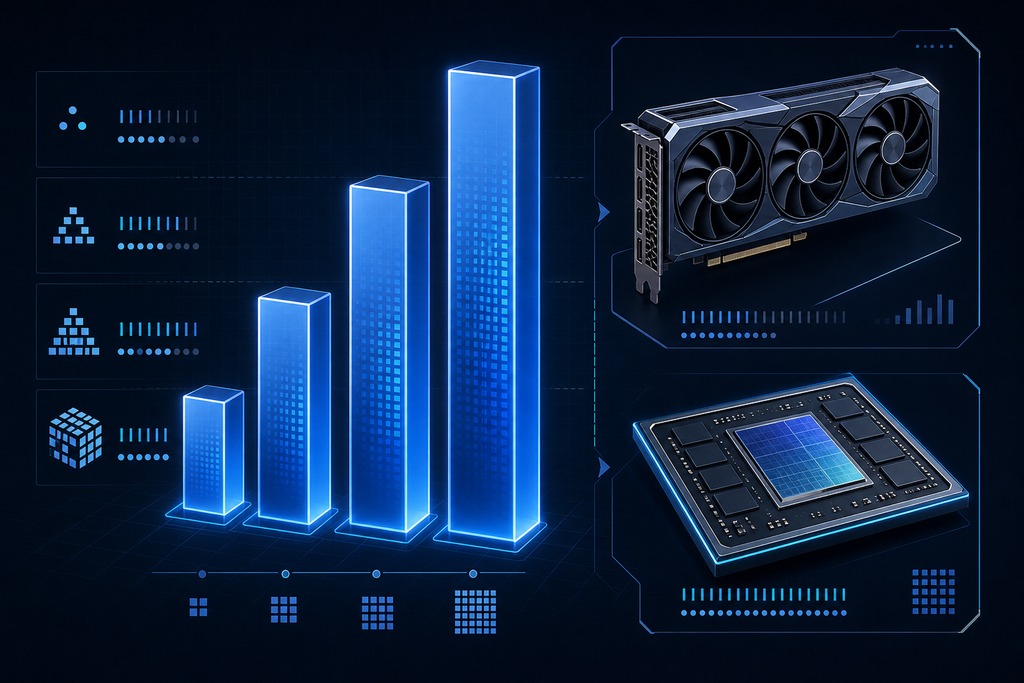
Memory is the gating resource. As a rough guide for 4-bit quantized models (compressed to 4-bit to save memory), the VRAM you need to actually run the model climbs steeply with size.
| Model size (4-bit) | Approx. VRAM to run | Example hardware |
|---|---|---|
| 7–8B | ~8–12GB | Consumer GPU (RTX 3060/4060) or 16GB unified-memory Mac |
| 14B | ~8–16GB | Single mid-range GPU |
| 30–34B | ~18–24GB | RTX 4090 24GB or 32GB+ unified memory |
| 70B+ | ~40–80GB+ | Enterprise GPU (dual A100/H100) or 128GB unified-memory Mac |
Sources vary a few gigabytes on these, so treat them as ranges. Two caveats matter more than the exact figure. Fitting a model into memory does not mean it runs fast: VRAM capacity and tokens per second are separate questions. And long context windows plus many users at once inflate the requirement well beyond the raw weights, because runtime caches grow with both. Apple's unified memory helps here by pooling a large space for the model, but bandwidth still caps how fast big models generate.
Model capability and access
Cloud leads on the hardest work. Local is now genuinely good enough for the routine majority. Frontier models (GPT-4o, Claude 3.5 Sonnet, Gemini 1.5 Pro) still lead on ambiguous reasoning, complex multi-file code changes, reliable tool use, multimodal input, and context windows in the hundreds of thousands to millions of tokens. That's the ceiling local cannot yet match.
But the floor has risen sharply. Open models (Llama 3.1 70B, Mistral Large, Qwen 2.5, Phi) handle summarization, extraction, classification, routine coding, and structured workflows at a quality that was frontier-only a year or two earlier. For a large share of agent steps, the capability gap simply does not bite. The mistake is assuming every step needs a frontier model. Most do not.
Scalability and maintenance
Cloud scales elastically and offloads operations to the provider; local is capped by the hardware you own and puts every operational task on your team. A cloud API serves one request or ten thousand at once without you touching infrastructure, and the provider handles updates, load balancing, and uptime.
Local flips all of that onto you: installation, driver and CUDA management, quantization, model updates, monitoring, backups, performance tuning, and access control. None of it is exotic, but it is continuous, and it needs people who know how to do it. This is the quiet reason local deployments fail: not the hardware bill, but the absence of in-house ops skill to keep the hardware serving reliably.
When to choose local AI agents
Choose local when data sensitivity, volume, offline needs, and available skill all point the same way. Concretely, local is the right call when:
- Data is regulated or highly sensitive and can't leave your boundary
- Volume is high and steady, so owned hardware amortizes
- You need offline or air-gapped operation
- You have capable hardware and in-house ops skills
- Task complexity is moderate: summarization, extraction, classification, routine coding
If your tasks are moderate and repetitive, your data is sensitive, and you have both the hardware and the people, local is not just viable: it is usually cheaper and more defensible than the cloud alternative.
When to choose cloud AI agents
Choose cloud when capability, speed to market, or unpredictable load dominate, and your data is not especially sensitive. Cloud is the right call when:
- You need maximum reasoning quality or very large context windows
- You want to ship fast with no infrastructure to run
- Load is spiky or unpredictable, so elastic scaling matters
- Data isn't especially sensitive, or an enterprise zero-retention tier covers it
- You want advanced built-in agent tooling out of the box
For prototypes, small teams, and any workload where the hardest reasoning is the point, cloud is the default. The risk to manage is cost: bound your agent loops and route cheap steps to mini models, or the token multiplier will find you.
Who should not run AI agents locally
Don't go local without both capable hardware and in-house operations skill: miss either one, and local fails regardless of how appealing the privacy is. If nobody on the team can manage drivers, quantization, and monitoring, an owned GPU becomes an unreliable liability, not an asset.
Skip local, too, if your core need is the hardest reasoning, complex multi-file code changes, or context windows in the hundreds of thousands of tokens — open models still lag there. And don't choose local for the wrong reason. If you believe running on your own machine automatically makes the agent safe, you have confused data residency with security. An over-permissioned local agent is more dangerous than a well-scoped cloud one. Fix permissions first, then choose where it runs.
What's changing in 2025 and 2026
The break-even point keeps moving toward local, but cloud keeps extending the ceiling — so re-check the math over time rather than deciding once. Open models like Llama 3.1 70B, Mistral Large, Qwen 2.5, and Phi are approaching GPT-4-level quality on many tasks. Hardware is getting cheaper and denser — Apple's M4 silicon, the RTX 5090 with 32GB VRAM, and NPU-based AI PCs. Quantization keeps improving, with 4-bit and even 2-bit models holding surprising quality, which pulls 70B-class models onto consumer hardware. On-device AI in phones is blurring the local/cloud line further. And cloud token prices keep falling as providers compete.
None of that crowns a universal winner. Cloud remains the choice for capability and convenience. Local wins for privacy, cost at scale, and control. Hybrid fits most serious deployments. Decide per workload along data sensitivity, volume, task difficulty, and connectivity — and revisit the decision as the numbers shift, because they will.
FAQ
Is local or cloud cheaper for AI agents?
Neither by default — it depends on volume. Cloud is cheaper to start, with near-zero upfront cost, and for spiky, low-volume use. Local wins once volume is high and steady enough to amortize a $1,500–$20,000+ hardware purchase against per-token fees, provided you also count electricity and staff time.
Are local AI agents more secure than cloud ones?
Not automatically. Local keeps data inside your boundary, which helps with residency and compliance, but an agent with broad shell or filesystem access can still leak secrets or run malicious instructions hidden in a document. Security comes from scoping permissions, not from where the model runs.
Can cloud AI agents handle sensitive data?
Yes, with the right tier. Enterprise offerings provide zero-data-retention, SOC 2 attestation, and residency controls — but verify those terms in the specific product and contract rather than assuming them. Some strict frameworks still prohibit data leaving the network at all.
What hardware do I need to run AI agents locally?
For a 7–8B model at 4-bit, roughly 8–12GB of VRAM — a consumer RTX 3060/4060 or a 16GB unified-memory Mac. A 30–34B model needs ~18–24GB, such as an RTX 4090, and 70B+ needs ~40–80GB+, meaning enterprise GPUs or a 128GB unified-memory Mac.
Why do AI agents cost more than a chatbot in the cloud?
Because agents don't answer once. They plan, call tools, inspect results, and retry, consuming 3x to 10x the tokens of a single chatbot reply. A single agentic execution commonly runs $0.05–$0.50, and poorly bounded loops can escalate fast.
What is a hybrid AI agent setup?
A hybrid runs cheap, private, or simple steps on local hardware and escalates hard or ambiguous steps to a cloud model. A router like RouteLLM can automate the choice. Self-hosting open models on rented GPUs in your own VPC is a related middle ground with more privacy control than a SaaS API.
References
- MindStudio — Local AI vs Cloud AI: What to Own vs Rent
- MindStudio — Local AI vs Cloud AI 2026
- Augment Code — Cloud vs Local Multi-Agent AI Platforms
- NinjaTech AI — Cloud AI Agents vs Local AI Agents
- Glorium Technologies — Local AI Agents: The Privacy-First Alternative to Cloud-Based AI