
The difference between AI coding agents and coding copilots is how much authority the AI has to act. A copilot suggests code as you type and waits for you to accept it. It can't run a command, touch a second file, or check whether its own suggestion compiles. An agent takes a goal, edits several files, runs the tests, reads the errors, and revises itself in a loop before handing you a diff to review.
This isn't a fork where you pick one tool for life. Copilot and agent are two points on a single scale of autonomy, and the leading products (GitHub Copilot, Cursor, Windsurf) now ship both modes in one install. The choice that matters is per task, not per tool. Use the copilot when you already know what to write and want tight control. Hand the work to an agent when the task is well-scoped and a test can prove it worked.
One warning before the details, because it cuts against the usual sales pitch: more autonomy does not mean more correctness. An agent is not smarter than a copilot. It's allowed to do more: and risk and cost climb with that permission while reliability doesn't automatically follow.
The one difference that matters
One question separates these two categories: is the AI allowed to take actions, or only to propose text? A copilot proposes. An agent acts.
Coding copilot: an inline assistant that predicts and suggests code as you type. You approve or reject every suggestion, and it runs nothing on its own.
AI coding agent: a system given a goal that plans, edits multiple files, runs commands and tests, and self-corrects in a loop, then submits a diff or pull request for human review.
A copilot lives inside your cursor. It predicts the next line or block, answers questions about the code in front of you, and drafts a function from a comment. But every character it produces sits inert until you accept, edit, or reject it. It executes nothing. The moment code needs to run, a test needs to pass, or one change needs to reach three files, the copilot is out of its depth by design.
An agent is handed a goal ("add password reset, including the endpoint, migration, email flow, and tests") and given tools: the file system, a terminal, a test runner, Git. It plans, writes, runs what it wrote, reads the failure, and tries again. That loop is the entire point. A copilot's suggestion is one-shot; an agent watches the result of its own work and corrects course.
Authority is not intelligence. Both are usually powered by the same class of large language model. What changes between them is permission, not reasoning horsepower.
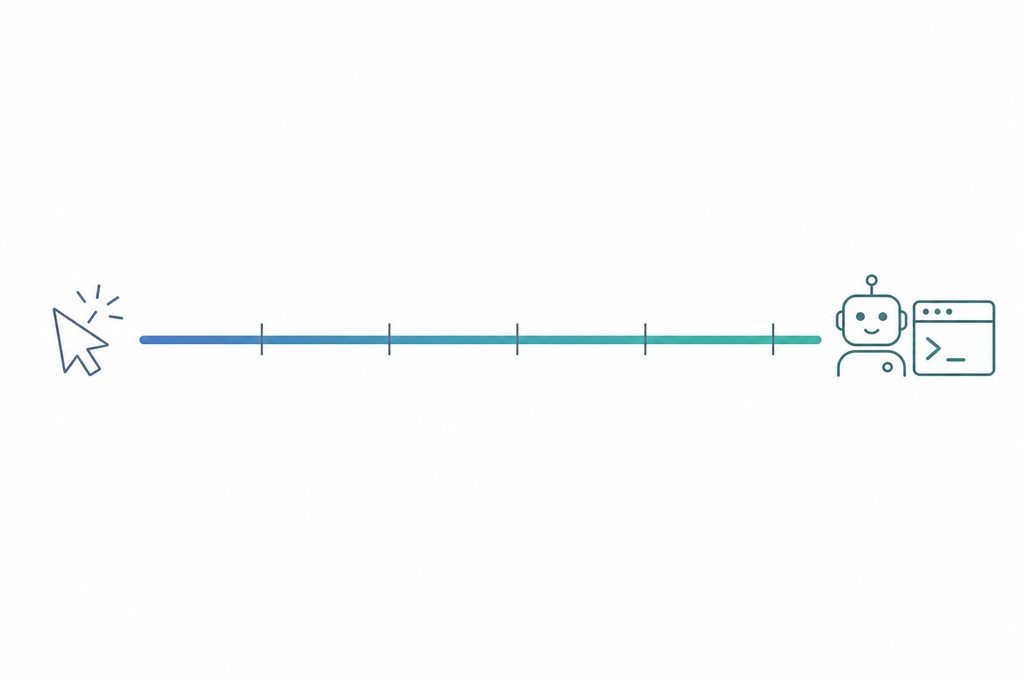
Copilot vs. agent at a glance
Across every dimension that decides a task, the gap traces back to autonomy: each row below is a consequence of the copilot proposing text and the agent taking actions.
| Dimension | Coding Copilot | AI Coding Agent |
|---|---|---|
| Autonomy level | Low, human approves each step | High, plans, executes, iterates |
| Human role | Driver (accept/reject each suggestion) | Supervisor (review the outcome) |
| Scope | Line / function / single file | Feature / multi-file / whole repo |
| Actions & execution | Text only, runs nothing | Runs commands, tests, edits files, commits |
| Error handling | Human spots and fixes | Reads logs, self-corrects in a loop |
| Context awareness | Current file + open tabs, some repo index | Full codebase, terminal, tests, docs, web |
| Feedback loop | None: one-shot | Self-correcting: run → observe → retry |
| Interaction & latency | Synchronous, milliseconds | Asynchronous, minutes to hours |
| Risk | Low, but unread-code hazard | Medium–high, sweeping unintended changes |
| Cost | ~$10–20/month per user | Usage-based, higher token/compute |
| Best for | Speeding known work | Delegating verifiable tasks |
Each step toward the copilot buys control at low cost. Each step toward the agent buys leverage over larger work, paid for in risk and compute.
Coding copilots: suggestions you approve
A copilot speeds up work you already understand. It completes the next line or function, generates boilerplate, explains an unfamiliar block, writes a unit test for a selected function, suggests a small refactor, converts a snippet between languages, and answers syntax or API questions: all inline, all pending your approval. You set the design, choose the files, review each suggestion, and run everything yourself.
Its key traits are synchronous latency measured in milliseconds and a narrow context: the current file, your open tabs, and sometimes a repository index. A copilot reacts to what you're typing right now. It doesn't plan, and it doesn't verify.
Representative copilots:
- GitHub Copilot: the category-defining product, launched in 2021
- Amazon Q Developer: formerly CodeWhisperer, tightly bound to AWS services
- Tabnine: privacy-focused inline completion
- JetBrains AI Assistant: built into JetBrains IDEs
- Codeium: inline completion, now part of Windsurf
Pros
- Nothing changes without your approval: small blast radius
- Millisecond suggestions that keep you in flow
- Strong on boilerplate, syntax recall, and unfamiliar-API lookups
- Works across most editors, from VS Code to Neovim
- Cheap and easy to supervise
Cons
- Narrow context; can't reason over the whole project
- Runs nothing: no tests, no cross-file refactor, no self-correction
- Gains are capped by how fast you can read suggestions
- Low risk is not no risk: it can quietly nudge you into accepting code you never fully read
Verdict: Best for developers who know what they want to write and value speed and control over delegation: day-to-day coding, learning a codebase, and anything sensitive enough to review live.
AI coding agents: goals you delegate
An agent works at the level of a goal, not a keystroke. Give it a feature request, a bug report, or a GitHub issue, and it runs a loop until the task is done or it gives up. GitHub's documentation describes its cloud coding agent working in an ephemeral development environment where it can inspect code, edit it, and run tests and linters. OpenAI describes Codex the same way: it can "navigate a repository, edit files, run commands, and execute tests," working either locally or as delegated cloud work.
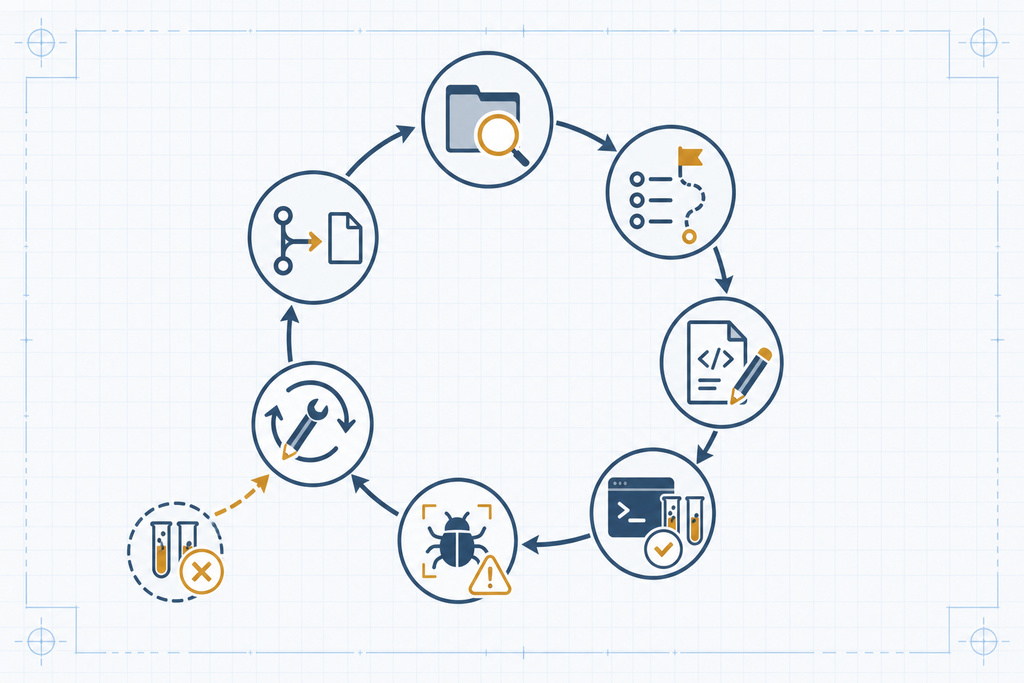
The loop, in order:
- Inspect the repository and its conventions, including any instructions files.
- Plan — break down the goal and identify the relevant architecture and files.
- Edit multiple files to implement the change.
- Run builds, tests, formatters, and linters.
- Read the failures and revise the implementation.
- Review its own diff for coherence.
- Submit a commit or pull request for human review.
Representative agents span closed and open source: Claude Code (terminal-based), Devin from Cognition (billed as an "AI software engineer"), OpenAI Codex in agentic mode, Google Jules, and GitHub Copilot Workspace / Agent Mode. On the open-source side sit Aider, Cline, OpenHands (formerly OpenDevin), SWE-agent, and AutoCodeRover.
Pros
- Completes multi-step, multi-file work end to end
- Verifies itself by running builds, tests, and linters
- Handles cross-file changes — migrations, refactors, reproducible bugs
- Can run asynchronously while you do other work
- Closes the loop: run, observe failure, fix
Cons
- Higher risk — can make sweeping changes you didn't intend
- Can stall in unproductive retry loops
- Costs more in tokens and compute, usually billed by usage
- Needs a clear spec, documented conventions, and tests to check against
- Modest real-world reliability (see the benchmarks below)
Verdict: Best for well-scoped, verifiable tasks a developer would otherwise grind through by hand — provided you have tests and the discipline to review the diff.
AI Coding Agents vs. Coding Copilots
For all the ways the two modes diverge, they're cut from the same cloth. Before you commit to either, it pays to know the traits they share and the limits neither one escapes.
Key Characteristics
A few traits define both modes, whichever end of the scale you're on:
- Prompt-steered. You direct both in ordinary language and code — a comment, a chat message, a written goal — rather than through fixed commands or menus.
- Context-bound. What you get out tracks what you put in: the surrounding code, the prompt, and any conventions you make visible to the tool.
- Workflow-native. Both live where you already work — the editor, the terminal, or the repository host — instead of a separate app you switch to.
Limitations
Some limits ride along with either choice, no matter how much autonomy you grant:
- Bounded, dated knowledge. The underlying models are trained up to a cutoff, so suggestions can reach for outdated library versions, deprecated APIs, or practices that have since moved on.
- Non-deterministic output. The same prompt can produce different results from one run to the next, so behavior isn't perfectly repeatable and a result you liked once may not come back the same way.
- Unsettled provenance. Generated code can mirror patterns absorbed during training, leaving licensing and origin as open questions a human has to resolve.
Representative tools at a glance
Most named tools now sit on both sides of the line, which is why "which category" is fading as a useful question. The specifics below matter more than the label.
| Tool | Type | Notable facts |
|---|---|---|
| GitHub Copilot | Copilot (+ agent mode / Workspace) | Launched 2021; ~1.8M paid subscribers by early 2024; internal studies claim ~55.8% faster coding and up to ~46% of code AI-written in supported languages |
| Amazon Q Developer | Copilot | Formerly CodeWhisperer; deep AWS and enterprise integration |
| Tabnine | Copilot | Privacy-focused inline completion |
| Codeium / Windsurf | Both | Tab-complete plus the Cascade agent |
| JetBrains AI Assistant | Copilot | Built into the JetBrains IDE family |
| Cursor | Both | Tab-complete plus agent/composer; AI-first IDE |
| Claude Code | Agent | Terminal-based agentic coding |
| Devin (Cognition) | Agent | "AI software engineer," 2024; ~13.86% on SWE-bench Lite vs a ~46% human baseline |
| OpenAI Codex (agentic) | Agent | Navigates the repo, edits, runs tests; local or cloud |
| Google Jules | Agent | Asynchronous coding agent |
| GitHub Copilot Workspace / Agent Mode | Agent | Copilot's agentic evolution |
| Aider / Cline / OpenHands / SWE-agent / AutoCodeRover | Open-source agents | Top open-source models push ~20–30%+ on SWE-bench Verified |
Pricing splits along the same line. Copilot-style seats run roughly $10–20 per user per month as of early 2024. Agent runs are usually usage-based and cost more per task, because each loop burns tokens and compute. Check the live pricing page before you budget — these figures move.
When to reach for which
Match the mode to the task, not the task to your favorite tool. The deciding factors are how well-specified the work is, how many files it touches, and whether a test can verify the result.
| Task situation | Better fit | Why |
|---|---|---|
| Boilerplate, glue code, known patterns | Copilot | You know what to write; you want control and speed |
| Learning a codebase or language | Copilot | Stay in the details rather than delegate them |
| Sensitive or proprietary code | Copilot | Review every change live before it lands |
| Small, ambiguous, design-heavy task | Copilot | Needs frequent human judgment the agent can't supply |
| Well-scoped multi-file but tedious task | Agent | Delegate it, verify by tests |
| Reproducible bug across files | Agent | Trace, fix, and confirm the fix in one run |
| Dependency migration or repo-wide refactor | Agent | Cross-file and mechanical, and verifiable |
| New feature from a clear spec or issue | Agent | Scaffold and test end to end |
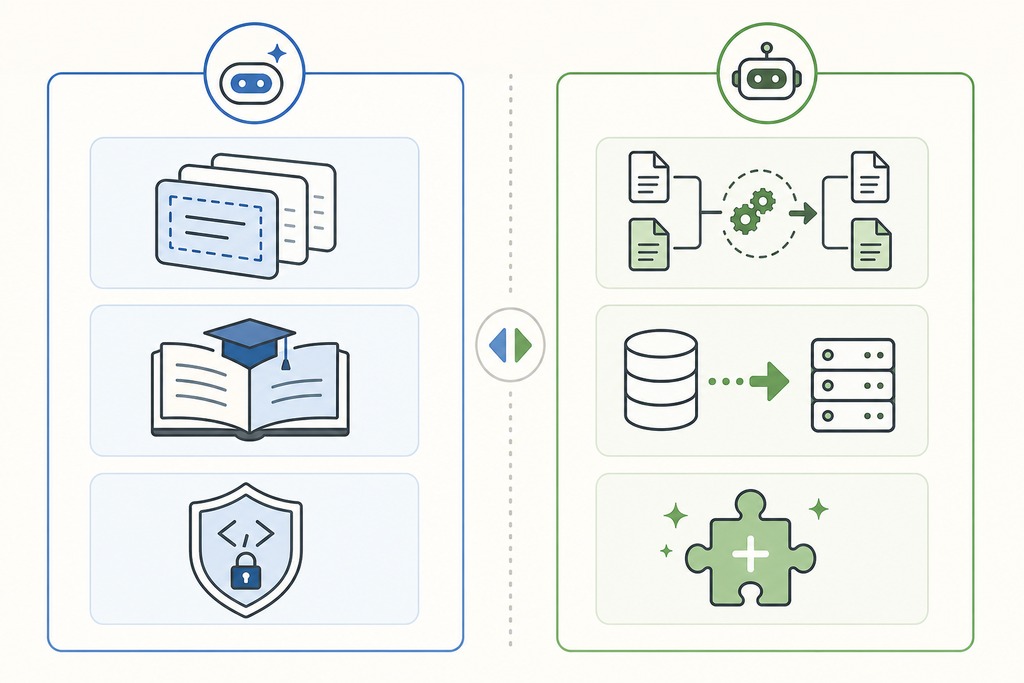
Using both together
The strongest workflow in 2025–2026 isn't choosing a side — it's sequencing the two. Use the copilot for judgment-heavy exploration, then delegate the mechanical build to an agent.
- Use a copilot to explore the problem and settle the design decisions interactively.
- Hand the resulting spec to an agent.
- Let the agent implement it and run the tests.
- Review the diff — with copilot help to explain unfamiliar changes.
- Run independent CI and security checks before merging.
The division of labor is clean: the copilot keeps you in the loop where intuition matters, and the agent takes the loop off your hands where verification can stand in for supervision.
Who should not hand a task to an agent
Skip the agent, and stay with a copilot or your own hands, in four cases. Each is a place where autonomy fails rather than helps.
- Vague, ambiguous, or design-heavy work. An agent given an underspecified goal fills the gaps with guesses, then confidently builds on them. This is where it loops unproductively or makes sweeping wrong changes.
- Tasks you can't verify with tests. The agent's safety net is its own test runs. Remove that and you lose the one thing that catches its mistakes before you do.
- Highly sensitive or proprietary code needing live control. If every line must be read as it's written, the human-in-the-loop copilot is the right tool. A finished agent diff reviewed after the fact is not the same guarantee.
- You lack review discipline. An agent's output is only as safe as the review that follows it. Without careful diff review, sandboxing, and CI, its speed just ships bugs faster.
The reverse boundary holds too: don't reach for a copilot on repo-wide, multi-file, or run-and-test work. It can't take actions or reason over the whole project, so you'll spend more time steering it than the task is worth.
"Agent" is a capability, not a replacement
Calling a product an agent describes what it can do, not what it can be trusted to own. An agent can execute a workflow. It doesn't reliably own product requirements, architecture tradeoffs, security accountability, production consequences, or final code review. A human still does all five.
The benchmarks make the reliability gap concrete. On SWE-bench Lite, Devin resolved about 13.86% of real-world GitHub issues at its 2024 launch, against a human baseline near 46%. Top open-source agents now push 20–30%+ on the harder SWE-bench Verified set. Those are meaningful numbers, and they're also proof that autonomy and correctness are separate axes. The most autonomous tool in your stack is not the most accurate one. Risk and cost rise with autonomy; reliability lags behind and has to be earned task by task.
Human oversight and engineering judgment stay essential. An agent is a fast, tireless junior teammate you can delegate to — not an engineer you can replace.
Where this is heading
The copilot-versus-agent line is collapsing. Most major tools now span both modes, and the industry's framing has moved from "AI pair programmer" toward "AI teammate" and "AI software engineer." The practical way to see it is a single scale of rising autonomy:
autocomplete → chat assistant → inline edits → supervised agent → autonomous agent.

A tool that was a pure copilot in 2023 now offers an agent mode; agents, in turn, are embedding back into the editor as inline assistants. Because one product increasingly covers the whole scale, "which category do I buy" matters less every quarter. The question that will decide your choice is the one the benchmarks already expose: how reliable is this mode on my kind of task, and how much do I have to check its work? The real differentiator is becoming trust, not the label on the box.
FAQ
Is GitHub Copilot an agent or a copilot?
Both. GitHub Copilot launched in 2021 as a pure inline copilot and has since added agent capabilities through Copilot Workspace and Agent Mode. You choose the mode per task inside one product rather than picking a separate tool.
Can an AI coding agent replace a software engineer?
No. An agent can run a coding workflow (edit files, run tests, fix its own errors) but it does not own requirements, architecture decisions, security accountability, or final review. Benchmark resolution rates (roughly 14–30% on real GitHub issues versus a ~46% human baseline) confirm it accelerates a developer rather than replacing one.
Are AI coding agents more accurate than copilots?
Not inherently. Agents have more authority to act, not more intelligence; both usually run on the same class of model. More autonomy raises risk and cost, while accuracy depends on task clarity and tests, so an agent on a vague task can be less reliable than a copilot on a clear one.
How much do AI coding agents cost compared with copilots?
Copilot seats run roughly $10–20 per user per month as of early 2024. Agents are typically billed by usage because each run consumes more tokens and compute, so cost scales with how many tasks you delegate. Confirm current figures on each vendor's pricing page.
What's the difference between human-in-the-loop and human-on-the-loop?
Human-in-the-loop means you approve every suggestion as it's generated — the copilot model. Human-on-the-loop means you define a goal and review the finished result — the agent model. The first gives tighter control; the second gives more leverage over larger, verifiable work.
References
- GitHub. "About Copilot coding agent" and Copilot documentation, GitHub Docs.
- OpenAI. "Using Codex with your ChatGPT plan," OpenAI Help Center.
- Cognition. Devin announcement and SWE-bench Lite results, 2024.
- SWE-bench and SWE-bench Verified leaderboards, Princeton University.
- GitHub. Copilot subscriber and developer productivity figures, 2024.