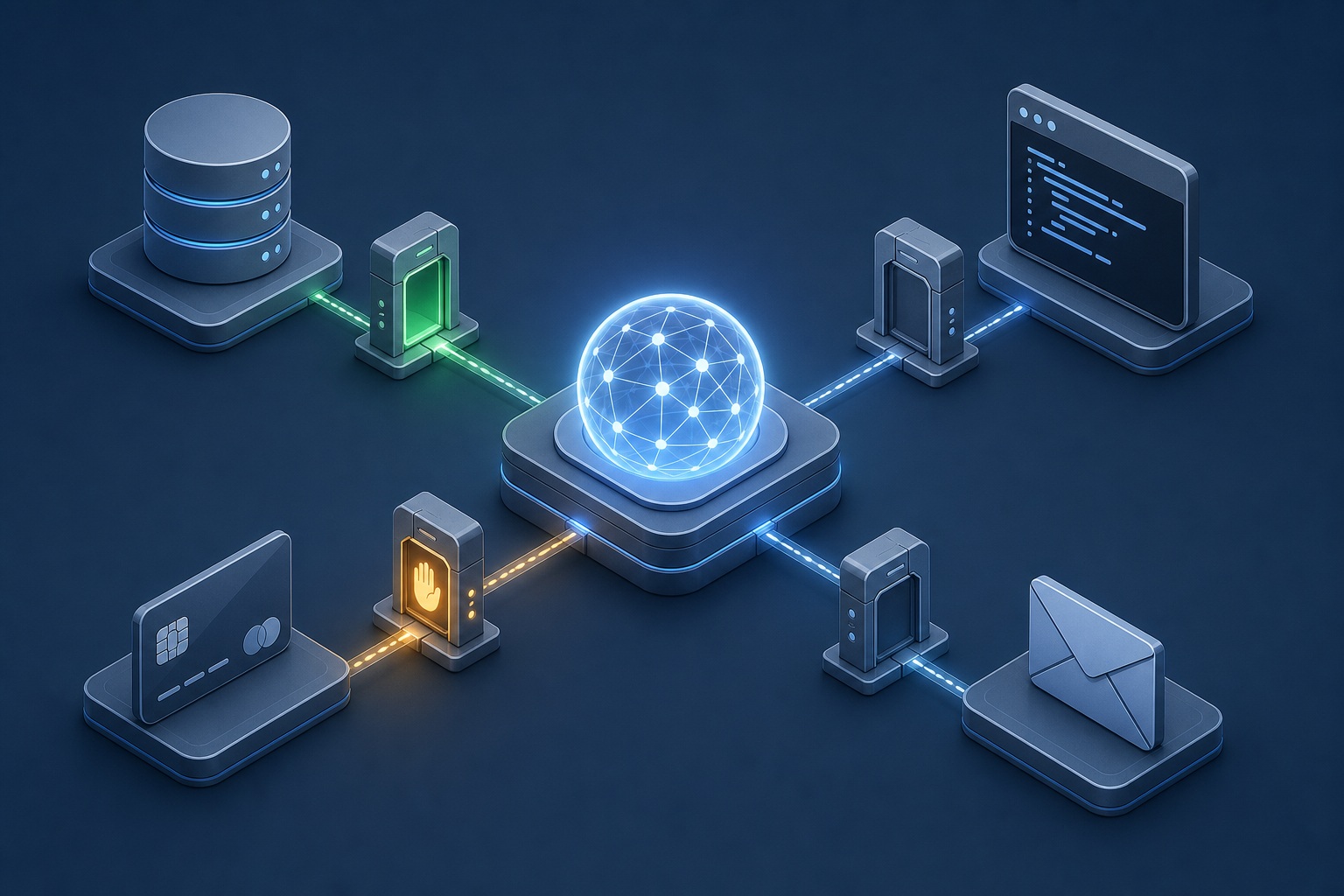
You want your agent to run code, move money, or send messages on its own: without one mistake, one hijacked prompt, or one stolen credential turning into real damage. AI agent permissions and approval gates are the two controls that make that possible. Permissions cap what the agent can reach. Approval gates decide when it must stop and get a human to sign off. These are separate jobs, and a serious deployment needs both.
Most teams walk into the same trap: they treat the agent's system prompt as the safety layer. It isn't one. Injected text from a webpage or an email can override a prompt, and the model can simply ignore it: so the real boundary has to live in infrastructure the model cannot talk its way past: a tool gateway, a sandbox, an API's authorization check, a database policy, a cloud identity.
The second trap is assuming more approval prompts mean more safety. Past a point they mean less. Gate every trivial action and people learn to click "approve" without reading, which quietly kills the gates that matter. Safety comes from tiering the gates, not from asking about everything.
What permissions and approval gates actually are
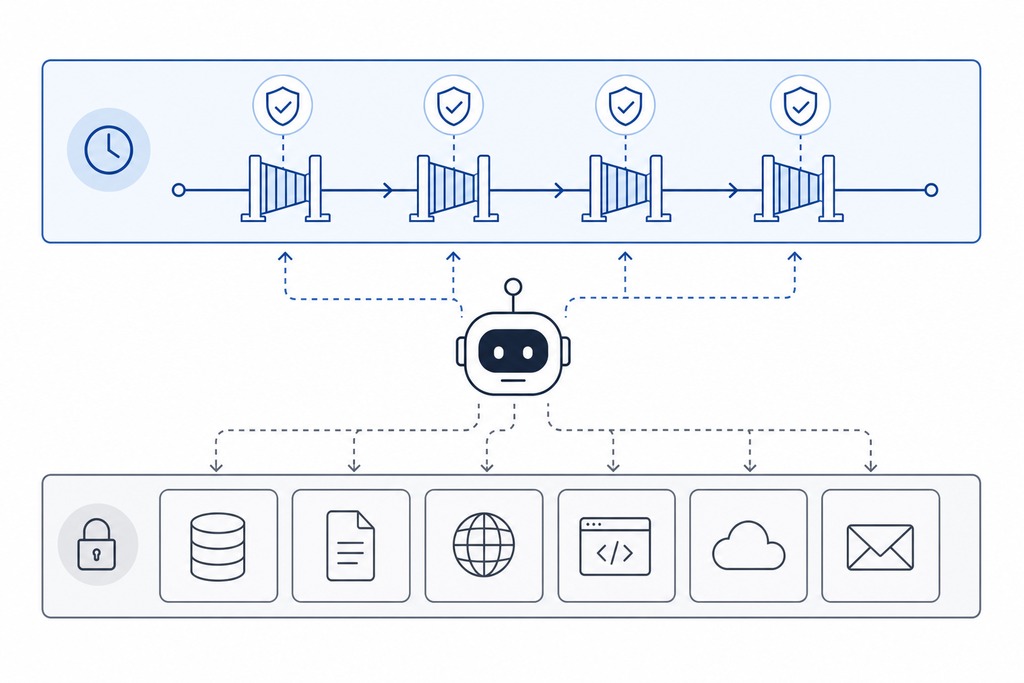
Permissions are what an agent can do; approval gates are when it must stop and ask. Keeping the two ideas distinct is where a design that survives contact with a real attacker begins.
| Term | What it means |
|---|---|
| Permission | A grant defining which tools, resources, or actions the agent may use |
| Approval gate | A checkpoint that pauses execution until a human or policy authorizes the next action |
| Scope | The boundary of a grant: which files, APIs, environments, amounts, and time window |
| Human-in-the-loop | A person reviews and approves individual actions during execution |
| Human-on-the-loop | A person monitors and can intervene, but does not sign off on every step |
| Autonomy level | How far the agent goes unaided: read-only → suggest → act-with-approval → act-and-notify → fully autonomous |
Autonomy is a dial, not a switch. Start it low and turn it up only after the agent proves reliable: an agent that can widen its own permissions has no real ceiling.
The model is not your security boundary
Enforcement has to sit outside the language model, full stop. Anything the model can override with a clever instruction or a hallucinated justification is theater, not a control. The moment your only defense is wording the system prompt well, an attacker who can inject text into the agent's context (through a document it reads, a tool response it processes, or a webpage it fetches) can rewrite that defense.
Put the boundary where the model gets no vote:
- the tool gateway that mediates every call
- the operating-system sandbox that isolates code execution
- the API authorization layer that checks each request against a scope
- the database policy that limits which rows return
- the cloud identity system that decides what the agent's service account may touch
The model proposes an action; an external policy layer decides whether it runs, enforces the limit, and logs the outcome. That division is the whole design.
How to decide what an agent may do
Grant the minimum access the current task needs and nothing spare: the principle of least privilege applied to a non-human actor. OWASP's Top 10 for LLM applications flags "excessive agency," giving an agent more capability, permission, or autonomy than the job requires, as one of the top risks in agentic systems. Six rules keep grants honest:
- Least privilege: only what this task needs, removed when it ends.
- Default deny: anything not explicitly allowed is blocked.
- Explicit scope: bound access by resource, operation, environment, and time.
- Short-lived credentials: task-specific tokens, not permanent API keys.
- Separation of duties: the agent that proposes an action cannot approve it.
- Fast revocability: operators can halt the agent and void its tokens in seconds.
What to scope, area by area
Least privilege becomes real when you name the surfaces and set a limit on each. These controls tighten sharply once production systems or regulated data are in reach.
| Area | Example controls |
|---|---|
| Filesystem | Read-only workspace; writes confined to one project directory |
| Network | Allowlisted domains, APIs, ports, and HTTP methods only |
| Source control | Read repo, create branches; no direct push to protected branches |
| Cloud | Inspect resources; deploy to dev only; no production deletion |
| Databases | Read selected tables; parameterized writes; no schema changes |
| Communications | Draft messages; require approval before anything sends |
| Finance | Prepare a purchase; execution prohibited or gated |
| Identity | No user impersonation; a narrowly scoped service account |
| Tools | An explicit allowlist of executable commands and integrations |
Ways to structure permissions
Pick the access model that matches how much your risk depends on context. Coarse fixed roles are simple but blind to sensitivity; attribute-based rules react to it, at the cost of harder authoring.
| Model | How access is decided | Strength / trade-off |
|---|---|---|
| Role-based (RBAC) | Fixed roles map to fixed permission sets | Simple to reason about; too coarse for context-sensitive risk |
| Attribute-based (ABAC) | Access reacts to attributes: data sensitivity, time, risk | Fine-grained and context-aware; harder to author and audit |
| Least privilege / ephemeral | Minimal grant, issued per task, auto-expires | Smallest blast radius; needs automation to issue and revoke |
| Capability tokens | Unforgeable tokens carrying one specific right | Precise and delegable; you must track and revoke them |
| OAuth scoped tokens | Third-party access limited to named scopes | Standard and revocable; only as tight as the scopes offered |
Gate tiers by risk
Match the strength of the gate to the risk of the action, and set risk by both how likely a mistake is and how bad it would be. A rare action that could be catastrophic still needs a strong gate.

| Tier | Example actions | Required gate |
|---|---|---|
| Automatic / low | Read-only search, local calc, sandboxed reversible edits | None; run and log |
| Notify-after / medium | Reversible internal writes, calendar invites, non-prod config | Runs, then flags for review |
| Approve-before / high | External sends, deploys, purchases, destructive commands | Human sign-off before execution |
| Dual or multi-party / critical | Large transfers, production deletes, regulated-data access | Two or more approvers, e.g. 2-of-3 |
| Prohibited | Disabling audit logs, exporting secrets, self-granting access | Never, even with approval |
The approver counts and dollar figures here are examples to adapt, not standards. Set them against your own exposure.
What should trigger a gate
Push an action up a tier when any of these conditions holds. The specific numbers are placeholders you choose, not fixed thresholds.
- Money over a set amount: a $500 line, for instance, sized to your risk.
- Irreversibility: deletes, deploys, sends, anything with no undo.
- Sensitive data in reach: Personally Identifiable Information, health, financial, credentials, or production.
- Breadth: actions touching many users, records, or systems at once.
- Low agent confidence: route to a human when the model's own certainty drops.
Reading counts here too. Reading sensitive data can itself be the harmful act, so access controls and gates must govern reads, not only writes.
Where the gate sits in the workflow
Placement is a separate choice from tier, and it trades safety against friction. Approving each call is safest and slowest; reviewing after the fact is fastest and weakest.
- Before the action: approve each risky call: highest protection, highest friction.
- Before the plan: approve the whole sequence once, then let it run.
- At milestones: check in at key points of a long task.
- After execution: review-only logging: lowest friction, least protection.
Types of Approval Gates
Beyond sorting gates by risk and by where they sit, a third lens is the authorization model: who or what grants the go-ahead, and in what form.
- Interactive consent: one operator receives a live request and clears the specific action before it runs — the ordinary gate behind most human-in-the-loop work.
- Quorum / multi-party: the go-ahead requires independent sign-off from several approvers, so no single account, honest or hijacked, can complete the action alone.
- Policy-triggered: the gate stays dormant and activates only when a coded condition matches, moving the judgment from a person to a rule that is only as good as the conditions you encode.
- Sandbox diversion: rather than answering yes or no, the gate reroutes the proposed action into an isolated run that touches nothing real, and a reviewer decides from the result whether to promote it.
What an approval request must show
Give the approver enough to decide well, or the gate is a rubber stamp. A useful request contains:
- The exact action and target
- Why it is needed
- What data it discloses or changes
- The expected effect, side effects, and whether it is reversible
- The credential or identity being used
- A preview: diff, command, message, or transaction
Vague prompts train people to click through. "Allow tool access?" tells the approver nothing. "Allow one POST to the payroll API to update employee 418's mailing address?" tells them everything they need. And the approval must bind to that exact pending action: if the amount, recipient, target, or any parameter changes afterward, the system re-asks. A stale or generic "yes" is not authorization.
The enforcement flow, end to end
The runtime path is fixed: the agent never executes directly: it proposes, and an external layer decides.
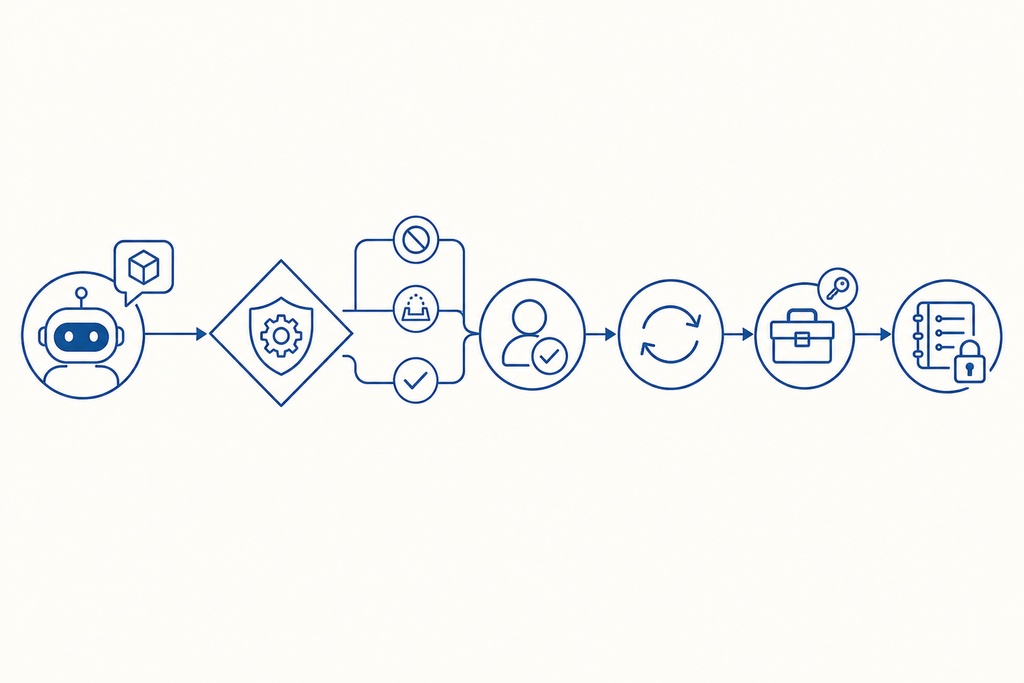
- The agent proposes an action; it cannot call the tool itself.
- A policy engine evaluates identity, scope, risk, and context, returning allow, deny, sandbox, or "ask."
- If gated, an approval orchestrator routes the request to the right human and waits, under a timeout.
- Immediately before execution, the exact action is revalidated against policy: a re-check that defeats stale approvals and time-of-check/time-of-use gaps.
- The tool runs under a limited, short-lived credential, never the user's full access.
- An immutable audit record captures requester, approver, inputs, outputs, decision, and result.
Five components carry this flow. The policy engine, often Open Policy Agent or an equivalent rules engine, makes the decision. The permission store is the central registry that holds every agent's scopes and grants, so each decision reads from one source of truth instead of scattered config; it's also the single place you edit to widen or revoke access, which is what makes fast revocation possible. The approval orchestrator manages notifications, timeouts, and escalation. The audit log is the immutable, tamper-evident record of every action, every permission granted or denied, and every approval decision: without it you cannot investigate an incident, prove compliance, or tell a mistake from an attack. The kill switch halts the agent instantly and voids its credentials.
Audit Log
The record the enforcement layer writes is only useful if it can be reconstructed and trusted. Two properties make that hold:
- A traceable chain. Link each executed action back to the proposal that raised it and the approval that authorized it, and timestamp every step, so a reviewer can replay a decision from request to result instead of stitching together loose events.
- Beyond the agent's reach. The acting identity gets no ability to write or delete log entries; the account that takes actions must never be the account that can edit the account of them. That keeps the record honest even if the agent is subverted.
The threats these controls stop
Every control here answers a specific attack. This is why the architecture exists.
| Threat | How permissions and gates help |
|---|---|
| Prompt injection | Injected text can hijack the model, but it cannot exceed granted permissions; gates catch the dangerous call |
| Confused deputy | Scoped per-agent credentials stop the agent from misusing a human's broad access |
| Runaway loops / cost blowups | Rate limits and spend caps act as hard, non-negotiable gates |
| Data exfiltration | Deny/ask rules on network calls and send tools block the outbound leak |
| Privilege escalation | Agents cannot grant themselves new rights; self-escalation is prohibited outright |
Design safeguards and the pitfalls to avoid
These operational details decide whether the system holds up under pressure or fails quietly.
- Fail closed: on any ambiguity, deny and ask rather than proceed.
- Keep gates meaningful: remove any prompt not worth a human's attention.
- Time-box and scope-box grants: "writes to /tmp for 10 minutes," not blanket access.
- Treat retrieved content as untrusted: webpages, emails, and tool output can carry injected instructions.
- Redact secrets from prompts, logs, and approval screens.
- Cap transaction size, request rate, runtime, and cumulative spend.
- Separate credentials for dev, staging, and production.
- Set approval timeouts with escalation to a backup approver.
- Degrade to read-only if the approval system is down: never bypass it.
- Keep a kill switch and a rehearsed revocation plan.
Standards and ecosystem to build on
Don't invent this from scratch. Several standards and platforms already do the hard parts.
- Model Context Protocol (MCP): Anthropic's standard for connecting agents to tools and data, with per-tool consent prompts; introduced in late 2024 and now widely adopted.
- OAuth-style scoped tokens: narrow, revocable access to third-party services.
- Agent identity in IAM: treat each agent as a first-class service account with its own role, not a borrowed human login.
- Governance platforms: policy engines, RBAC, and central approval dashboards for fleets of agents.
- Guardrail frameworks: NVIDIA NeMo Guardrails and Open Policy Agent for policy expressed as code.
Worked examples
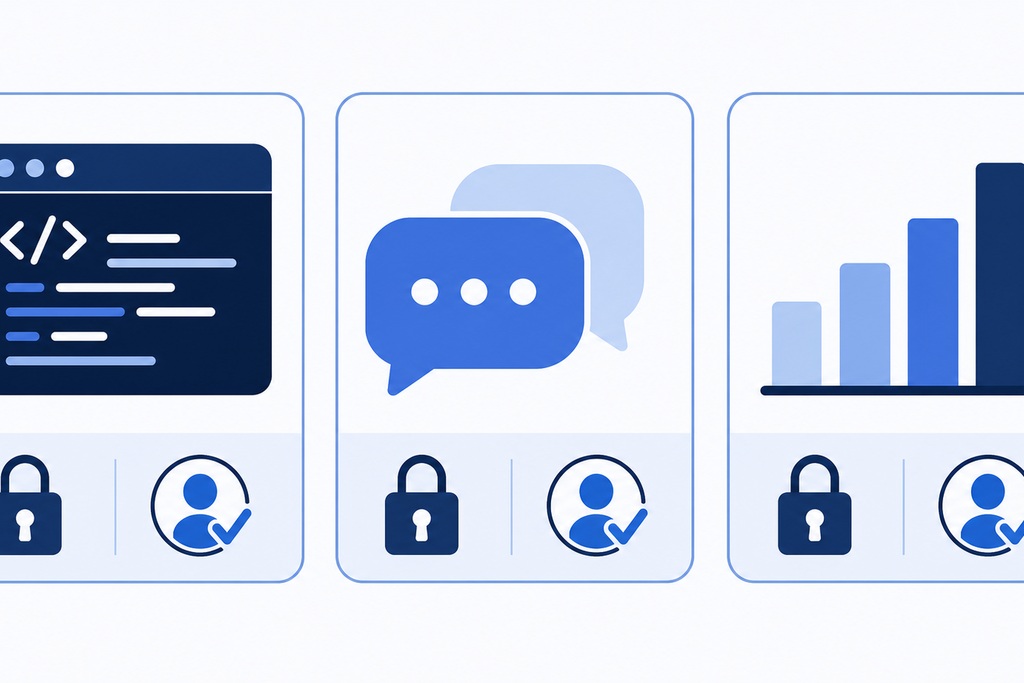
The abstractions land once you apply them to real agents. Thresholds below are illustrative.
| Agent type | Permissions granted | Approval gates required |
|---|---|---|
| Coding assistant | Read/write a specific repo; run code in an isolated container | Push to main, merge PRs, install new dependencies |
| Customer support | Read CRM and order history; update ticket status | Refunds over $50; any email sent on the company's behalf |
| Data analyst | Read-only warehouse access; generate SQL | Export any dataset with PII; queries above a set compute budget |
Deployment checklist
Ship one safely by working through this order.
- Inventory every tool the agent can reach and risk-classify each.
- Strip to least privilege: remove anything not strictly required.
- Define gates for irreversible, financial, and sensitive-data actions.
- Set hard limits: spend caps, rate limits, production blocked by default.
- Configure allow, deny, and ask lists for common commands.
- Design the approval UX with clear context and reversibility.
- Turn on full audit logging and anomaly alerts.
- Test with adversarial and injected inputs before launch.
- Start at low autonomy and raise it only as reliability proves out.
- Wire up a kill switch and a revocation plan.
Who should NOT hand an agent autonomy
Some setups should stay read-only or stay off entirely. The honest answer to "can this agent act on its own?" is sometimes no.
- Teams with no external enforcement layer. If the only control is the prompt, the agent should not take actions with side effects.
- Anyone planning to run the agent on a human's full credentials. Borrowing broad access is exactly how a tricked agent does damage the user never intended. Give it a scoped, short-lived identity or nothing.
- Workflows where every action would need a gate. That's a sign the task isn't ready for autonomy; the approval fatigue will erode the gates that matter.
- Irreversible, high-stakes domains without dual approval and audit: moving funds, changing production infrastructure, touching regulated data.
- "Read-only" agents assumed to be safe. Reading PII, secrets, or production data is itself a consequential act that needs access control.
Pure chatbots with no tools and no ability to act on the outside world don't need any of this — there is nothing to gate.
FAQ
Are AI agent permissions and approval gates the same thing?
No. Permissions define what the agent is allowed to touch — its tools, data, and reach. Approval gates define when it must pause and get authorization before acting. You need both: permissions cap the blast radius, and gates catch the specific dangerous action within what's permitted.
Can a good system prompt make an agent safe?
No. A prompt is not a security boundary. Injected text from a document, email, or webpage the agent reads can override its instructions, and the model may ignore them regardless. Enforcement has to live in infrastructure the model cannot override — the tool gateway, sandbox, API authorization, database policy, or cloud identity.
How many approval gates is too many?
When people start approving without reading, you have too many. Gating trivial, reversible actions causes approval fatigue and rubber-stamping, which defeats the gates that guard irreversible or costly actions. If a gate isn't worth a human's genuine attention, remove it and reserve sign-off for high-impact actions.
What's the difference between human-in-the-loop and human-on-the-loop?
Human-in-the-loop means a person approves individual actions during execution. Human-on-the-loop means a person monitors the agent and can intervene, but does not sign off on every step. In-the-loop fits irreversible, high-stakes actions; on-the-loop fits lower-risk work where constant approval would create friction without adding safety.
Does a read-only agent need permission controls?
Yes. Reading is not automatically safe. Accessing PII, credentials, or production data can itself be the harmful act — that's how data exfiltration happens. Access controls must govern which data the agent can read, not only what it can write or delete.
Should an agent use my credentials or its own?
Its own. An agent acting with a human's full credentials can do anything that human can, so a tricked agent inherits enormous reach. Give each agent a narrowly scoped, short-lived service identity with only the permissions its task requires, and revoke it fast when the task ends.
References
- Anthropic — Model Context Protocol documentation and specification (per-tool consent, tool connection standard).
- OWASP — Top 10 for LLM Applications (excessive agency, prompt injection, sensitive information disclosure).
- IETF RFC 6749 — The OAuth 2.0 Authorization Framework (scoped, revocable access tokens).
- NIST SP 800-53 — Access Control and Least Privilege guidance.
- Open Policy Agent — policy engine documentation.
- NVIDIA — NeMo Guardrails documentation.